FOR IPHONE, IPAD, APPLE WATCH AND ANDROID
An app that hears your breath.
Most apps run a timer. Soluklan listens to your exhale and your inhale through the microphone, and shows you cycle by cycle how closely you kept to the rhythm.
Free. No account, no ads.
A relaxation and focus exercise. It does not offer medical diagnosis, treatment or advice.
WHAT IS MEASURED
An app that can't hear your breath is only a timer.
In every cycle Soluklan measures when your exhale began, how long it lasted and how steady its sound was. When the session ends you are left with a measurement, not an impression.
HOW IT WORKS
It listens, measures and tells you.
-
You follow the circle
Breathe in as it grows, out as it shrinks. The circle does whatever the technique says: it waits if there is a hold, and shrinks slowly if the exhale is long.
-
The microphone hears your breath
Only the instant sound level is worked out from the audio. Which cycle you were late on, how long your exhale lasted, how steady its sound was, whether air escaped during a hold — all of it is measured.
-
A report arrives at the end
A score out of a hundred, a short headline, what you did well and a few concrete suggestions. If you want, you can open every measurement and read them one by one.
THE SESSION REPORT
Every session leaves a report.
A score out of a hundred and a short headline. Below them, sentences the app writes for you: what you did well, and what you could change next time.

What you did well
- Your breath locked onto the circle: every exhale started right where it should.
- You were patient in the holds. The breath stopped completely.
To get better
- You're breathing out a little hard. Softer, as if it leaves on its own.
MADE FOR YOU
The app starts by getting to know you.
On first launch a few short questions come up, and the suggested length and the order of the techniques are set from your answers. You also choose how simple the interface is.
TECHNIQUES
Sixteen techniques, all well-known methods.
Each one comes with what it is good for, how to do it, the mistakes people make and a single guided round to try.
Every technique article ends with its own sources. How we read the evidence →
- Box Breathing 4-4-4-4Two minutes to gather your attention right before something important.LengthSuggested length1 min2 min3 min5 min50 sec5 min2 min
- 4-7-8 4-7-8To fall asleep
- Coherent Breathing 5.5-5.5For calm through the day
- Physiological Sigh 2-1-1.5-6For sudden tension
- Triangle Breathing 4-4-4A first step to Box Breathing
PROGRAMS
One session is one thing; weeks of practice are another.
Set up a program and you know what to do each day. The app keeps track of which day you are on and warns you if you start missing. When it ends it lays out day by day what happened: which days slipped, how your scores moved, which suggestions kept coming back.
KEEPING IT UP
It makes the habit easier.
The calendar marks how many days in a row you have practised. Milestones celebrate each real step forward, and you can set a goal of your own. You set reminders for the days and times you want.
SUMMARIES
Your data has something to tell you.
The personal summary writes observations drawn from your own sessions. The weekly summary shows your progress week by week.
PLATFORM SUPPORT
On the phone, the tablet and the wrist.
The same app fits both iPhone and iPad. Your session history, streak, achievements and settings sync between them through your iCloud.
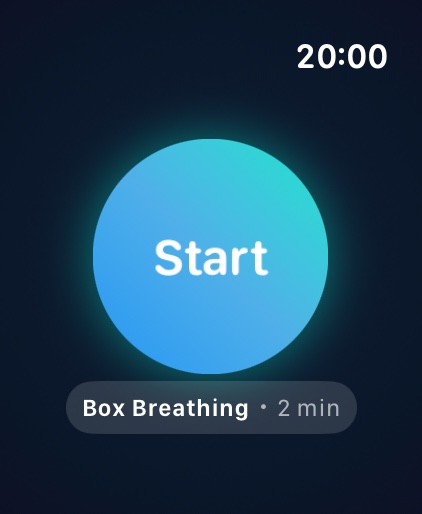
On Apple Watch you breathe from your wrist.
Android has the same sessions and the same listening: a streak widget for the home screen, reminder notifications and, if you want, your sessions written to Health Connect as mindfulness minutes. iCloud sync is for iPhone and iPad only; on Android your data is backed up to your Google account when device backup is on.


iPad · iPhone · Apple Watch · Android
iOS 17 and later, Android 8.0 and later. Widgets, Live Activity and the Dynamic Island work on the devices that support them.
PRIVACY
Audio is never recorded.
- No audio recorded
- No ads
- No tracking
The microphone works only during a session, and only the momentary sound level is worked out from it.
A session is two minutes.
You don't need more than that to start.


Free. No account, no ads.
Soluklan is not a medical app. It does not diagnose or treat. If you feel dizzy, short of breath or unwell, stop the session and go back to your normal breathing. With asthma, a heart condition, pregnancy or similar, talk to your doctor before starting any exercise.